
Skip to content
Core365 Cloud Blog

Core365 Cloud Blog

“PowerShell, Active Directory & IT Automation Simplified”

Sign In
  • Home
  • About Me
  • Join the Facebook group
  • Core365
    • Core365 Cloud Store
  • GitHub
    • AD-Password-Expiry-Reminder
    • GPO-Backup-Automation
    • Enterprise-AD-HealthCheck
    • GPO-Change-Audit
    • AD-Admin-Unlock-Tool
  • Core365 Cloud – Secure Password Generator
  • Newsletter

Author: antoniorennvick

  • Home
  • antoniorennvick
  • Page 4
MicrosoftTroubleshootingWindowsWindows 10Windows 11Windows 11 TipsWIndows 7Windows 8Windows 8.1

Why Is My Desktop Internet Speed Inconsistent? (Simple Fixes)

by antoniorennvickMarch 16, 2025April 23, 2026

 If you're noticing inconsistent internet speeds on your desktop while your laptop maintains a steady connection, you're not alone. Many users experience fluctuating speeds, where some days the download speed is high (e.g., 100 Mbps)…

Active DirectoryLAPSWindows Server

How to Install and Configure Microsoft LAPS (Local Administrator Password Solution)

by antoniorennvickMarch 10, 2025

 📌 IntroductionMicrosoft Local Administrator Password Solution (LAPS) is a free tool that enhances security by automatically managing local administrator passwords on domain-joined computers. This guide will walk you through the installation and configuration of LAPS…

ThunderbirdTroubleshooting

Finding the Thunderbird Profile Folder in Windows 11

by antoniorennvickMarch 9, 2025

 If you are troubleshooting an issue with Mozilla Thunderbird, you may need to locate its profile folder. However, finding it can sometimes be frustrating, as Windows hides certain system folders by default. If you've encountered…

How to Fix “Windows Security Center Service Can’t Be Started” Error
TroubleshootingWindows 11 Tips

How to Fix “Windows Security Center Service Can’t Be Started” Error

by antoniorennvickMarch 7, 2025

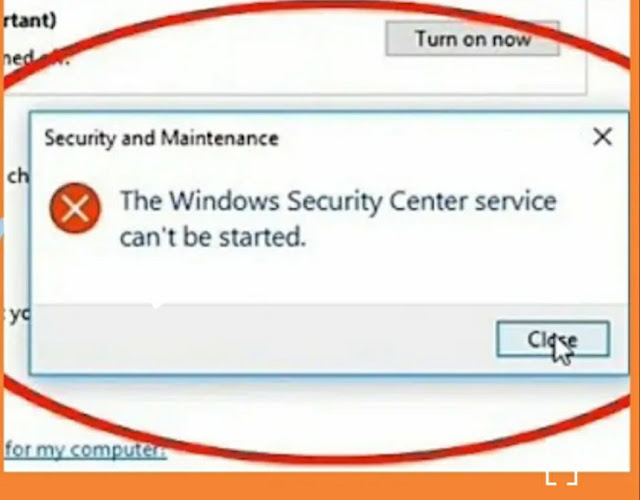
 If you're seeing the ❌ "Windows Security Center service can't be started", it means your 💻 system can't activate the 🛡️ Security Center service, which 📊 monitors and reports 🔐 settings. This can leave your…

TroubleshootingWindowsWindows 10Windows 11Windows 11 TipsWIndows 7Windows 8Windows 8.1

Is It Safe to Delete System Error Memory Dump Files and Delivery Optimization Files in Windows?

by antoniorennvickMarch 7, 2025April 27, 2026

When running Disk Cleanup in Windows, you may come across large files such as System Error Memory Dump Files and Delivery Optimization Files. These can take up several gigabytes of storage, leading many users to…

RADIUSWindows Server

Renewing a certificate in a Windows RADIUS server

by antoniorennvickMarch 6, 2025

 Renewing a certificate in a Windows RADIUS server involves several steps. Here's a step-by-step guide to help you through the process:1. Generate a New Certificate RequestOpen the MMC (Microsoft Management Console):Press Win + R, type…

Active DirectoryCybersecurity

Asymmetric Pre-Authentication in Ticket Granting Ticket (TGT) requests in Active Directory

by antoniorennvickMarch 6, 2025

Asymmetric Pre-Authentication in Ticket Granting Ticket (TGT) requests in Active Directory refers to a security feature designed to enhance the protection of the Kerberos authentication process. This method helps prevent certain types of attacks, such…

CybersecurityEmail AuthenticationEmail SecurityMicrosoft ExchangePhishing Protection

Understanding SPF, DKIM, and DMARC: A Comprehensive Guide to Email Authentication

by antoniorennvickMarch 6, 2025

 Email authentication is a crucial aspect of cybersecurity that helps protect organizations from phishing, spoofing, and email fraud. Three key protocols—SPF, DKIM, and DMARC—work together to ensure email security and authenticity. This guide will provide…

How to Enable Copilot on Windows 11: A Step-by-Step Guide
Windows 11 Tips

How to Enable Copilot on Windows 11: A Step-by-Step Guide

by antoniorennvickMarch 6, 2025

Introduction: Windows 11 introduces Copilot, an AI-powered assistant designed to enhance productivity and simplify tasks. Whether you're a tech enthusiast or a casual user, enabling Copilot can transform your Windows experience. This guide will walk…

ADFSTroubleshootingWindows Server

ADFS WAP error – Unable to retrieve proxy configuration data from the Federation Service.

by antoniorennvickMarch 6, 2025

 This error typically occurs when the Web Application Proxy (WAP) is unable to authenticate with the ADFS server. Here are some common causes and troubleshooting steps:Possible Causes:Service Account Password Expiry or MismatchThe WAP server authenticates…

Posts pagination

Previous 1 … 3 4 5 … 12 Next

Live traffic
838,106Total visits
Today3,861
7 days51,151
30 days71,755
Powered by core365.cloud

👆 Get this plugin here.

Subscribe to our newsletter!

Recent Posts

  • Stop Repeated Active Directory Lockouts: Find the Caller Computer (Event ID 4740) with a PowerShell HTML + Email Report
  • Azure AD / Microsoft Entra Conditional Access “Bypass” via Phantom Device Registration & PRT Abuse — A Deep Technical Breakdown
  • ConsentFix v3 and OAuth Consent Abuse in Microsoft Entra ID: Deep‑Dive Detection & Hardening for Microsoft 365
  • Active Directory Health Check with PowerShell – Full Forest Report & Interactive HTML Dashboard
  • Sample GPO Monthly Change Audit Report (HTML Output)

Categories

UncategorizedActive DirectoryTroubleshootingMicrosoftWindows 8Windows 11 TipsSecurityWindows 10Windows ServerMicrosoft EntraCybersecurityWindows ServerWindows 11WindowsPowerShellWindows 8.1Identity & Access ManagementWIndows 7Social NetworkMobileMicrosoft 365Tech TipsTechnicalPKI & Certificates

Tags

Zero TrustMicrosoft EntraConditional AccessActive DirectoryPowerShellIT AutomationNTPCertificate-Based AuthenticationMicrosoft GraphMicrosoft Entra IDmicrosoft exchangemicrosoftIntuneAD ReplicationDomain Controller HealthGroup Policy HealthSYSVOLWindows Server 2019DNS for Active DirectoryWindows Server 2022IT AuditsDCDiagWindows AdministrationActive Directory Health Check

👆 Get this plugin here

Recent Comments

  1. Thomas on Stop Repeated Active Directory Lockouts: Find the Caller Computer (Event ID 4740) with a PowerShell HTML + Email Report
  2. How to protect your RDP session with a SSL certificate. – Antonio's Blog on How to purchase a SSL certificate
  3. Eimear Serious on Translate a document or a web site from one language to another language………………
  4. Celena Radick on Counter-Strike: Global Offensive
  5. nataliewhitegame on Counter Strike With Hamachi

Archives

Subscribe to our newsletter!

© 2026 Core365 Cloud. All rights reserved.